Integrating WepSIM
WepSIM Links in documents
In the WepSIM URL you can use several arguments to perform certain actions automatically. This is an example:
| http://wepsim.github.io/wepsim/ws_dist/?mode=ep&examples_set=RISCV&example=0&simulator=assembly:14¬ify=false |
In particular, WepSIM supports the following arguments:
| Name | Included values | Used for... |
|---|---|---|
| mode | ep | Elemental Processor with circuit and assembly (default) |
| poc | Proof-of-Concept Processor with circuit and assembly | |
| asm_mips | Elemental Processor (default) with MIPS assembly only | |
| asm_rv32 | Elemental Processor (default) with RISC-V assembly only | |
| config_set | Desktop | Interface for desktop computer (default) |
| Mobile | Interface for smartphone or tablet | |
| Desktop-Dark | Interface for desktop computer and dark mode | |
| Mobile-Dark | Interface for smartphone or tablet in dark mode | |
| examples_set | RISCV | Examples for RISCV instruction set |
| RISCV-Instructive | Examples for RISCV instruction set with active comments | |
| MIPS | Examples for MIPS instruction set | |
| MIPS-Instructive | Examples for MIPS instruction set with active comments | |
| ARM | Examples for ARM-like instruction set | |
| Z80 | Examples for Z80-like instruction set | |
| example | 0, 1, ... | The indentifier of the example within the example set |
| simulator | <main panel>:<details panel> | <main panel> can be:
|
<details panel> can be:
|
||
| checkpoint | <URL> | URL pointing to the checkpoint to be loaded |
| notify | true | Show a dialog-box with the preloaded actions (default) |
| false | Don't show a dialog-box with the preloaded actions |
But there is one more argument that can be added: asm asm contains the assembly code to be loaded from the URL.
This assembly code can be obtained from the share option in the "Load/Save" dialog-box:
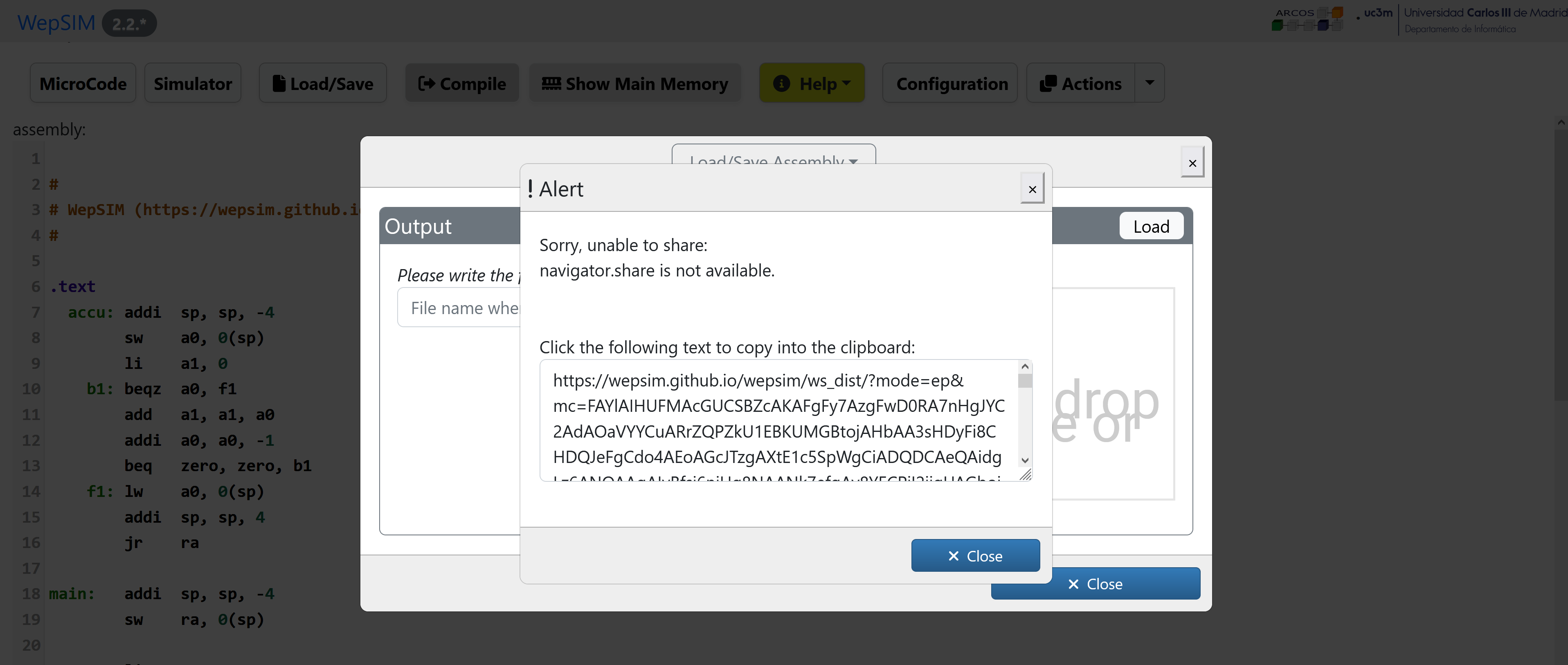
This argument can be combined with the example argument so the assembly code in the URL is loaded instead of the assembly code in the example.
For example, the following link loads the RISC-V assembly code for the factorial and with the keyboard and screen detail panel:
For example, the following link loads the RISC-V assembly code for the factorial and shows the Elemental Processor and the register detail panel: